
TL;DR:
- Markdown output web scraping converts web pages into clean, structured Markdown to improve AI retrieval accuracy and reduce token costs. It preserves semantic hierarchy better than raw HTML, making content easier for language models to understand and chunk. Using tools like headless browsers, content extractors, and linters ensures high-quality, AI-ready Markdown suitable for retrieval-augmented generation workflows.
Markdown output web scraping is defined as the process of fetching raw HTML from a web page and converting it into clean, structured Markdown that preserves semantic hierarchy while stripping noise like navigation menus, ads, and scripts. This technique sits at the intersection of web scraping best practices and AI data preparation, making it a core skill for any developer building retrieval-augmented generation (RAG) pipelines or LLM-powered agents. Markdown output is typically 60–80% smaller than raw HTML, which translates directly into lower token costs and sharper model responses. Understanding markdown output web scraping explained in full means knowing not just how to convert HTML, but how to do it without breaking downstream AI tasks.
What is markdown output web scraping and why does it matter?
Markdown is widely considered the lingua franca of large language models because it preserves the semantic structures that AI comprehension depends on. Headers signal topic boundaries. Lists encode enumerated facts. Code blocks protect syntax. When you flatten a web page to plain text, all of that structure collapses. When you leave it as raw HTML, you bury the signal in thousands of tokens of <div> soup.
The practical payoff is measurable. Markdown documents with header-aware structure deliver 34% better retrieval accuracy in RAG pipelines than raw HTML. That gap exists because chunking by heading (#, ##, ###) gives the retriever clean, self-contained context windows instead of arbitrary byte slices. For data analysts feeding web content into embedding models, that accuracy difference compounds across thousands of documents.
Token efficiency matters too. A raw HTML page carrying a 2,000-word article might run 15,000 tokens. The same page converted to clean Markdown often lands under 3,000. That reduction cuts API costs and lets models fit more context into a single call.

How does Markdown preserve semantic structure better than raw HTML?
Markdown's header hierarchy maps directly onto document structure in a way that both humans and language models can parse without extra tooling. An <h2> tag becomes ##. A <ul> becomes a bulleted list. A <pre><code> block becomes a fenced code block. The conversion is lossy by design: it drops styling, layout attributes, and decorative markup, keeping only the content-bearing elements.
The key advantages over alternative formats break down clearly:
- Header hierarchy (
#,##,###) creates natural chunk boundaries for RAG retrieval, so each chunk carries a coherent topic. - Fenced code blocks preserve indentation and syntax, which matters when scraping documentation or technical tutorials.
- Markdown tables retain row and column relationships that plain text destroys.
- Ordered and unordered lists encode sequence and membership without requiring a parser to infer structure from whitespace.
Raw HTML carries all of this information too, but buried under attributes, inline styles, and framework-generated class names. Technical teams prioritize Markdown to improve citation accuracy and reduce token waste, because the format forces a clean separation between structure and presentation. Plain text goes too far in the other direction: it strips structure entirely, leaving models to guess where one topic ends and another begins. Markdown hits the middle ground that makes it the right default for AI ingestion.
What are the main technical approaches to web scraping with Markdown?
Converting a web page to Markdown is a pipeline, not a single function call. The stages are sequential and each one introduces failure modes if skipped.
- Fetch rendered HTML. For static pages, a standard HTTP GET works. For JavaScript-heavy pages, headless browsers and lifecycle event waits are required to capture the fully rendered DOM before conversion begins.
- Extract the main content. Libraries like Readability.js isolate the article body, discarding navigation, footers, cookie banners, and sidebars. This step alone removes the majority of noise.
- Convert HTML to Markdown. Libraries like Turndown traverse the DOM and emit Markdown syntax. This step requires stateful walker logic for complex elements.
- Sanitize and normalize. Strip residual HTML attributes, collapse excessive whitespace, and handle character encoding edge cases.
- Lint the output. Run the result through a Markdown linter to catch broken lists, inconsistent heading levels, and trailing whitespace before the document enters any downstream pipeline.
Pro Tip: When scraping JavaScript-rendered pages, wait for a specific lifecycle event like networkidle rather than a fixed timeout. Fixed timeouts either miss late-loading content or waste seconds on pages that finish early.
The conversion library choice matters. Turndown handles most standard HTML well but requires custom rules for edge cases like <table> elements with merged cells. Readability.js is excellent for article extraction but was designed for browser contexts, so running it server-side requires a DOM environment like jsdom. Matching the right tool to the page type is a core web scraping best practice that most tutorials skip.
What are the biggest challenges in producing clean, AI-ready Markdown?
Clean Markdown output is harder than it looks. The web is full of HTML patterns that break naive converters.
The most common failure points are:
- Nested lists with mixed types. Mixing nested list HTML tags requires stateful walker logic to track indentation depth correctly. A converter that loses track produces flat, broken lists that chunk incorrectly in RAG.
- Tables with
rowspanorcolspan. Standard Markdown tables have no syntax for merged cells. Converters must either flatten the structure or fall back to an HTML table block, both of which reduce AI readability. - Shadow DOM and web components. Modern JavaScript frameworks render content inside shadow roots that a standard DOM traversal never sees. DOM traversal must respect shadow roots to capture all content.
- Whitespace accumulation. Naive HTML-to-Markdown conversions that fail to sanitize whitespace produce broken Markdown that causes RAG pipeline errors downstream.
Pro Tip: Run markdownlint or Vale on every converted document before it enters your pipeline. Linting catches inconsistent heading levels and broken lists that look fine in a text editor but break chunking logic silently.
The downstream cost of broken Markdown is real. A retriever that chunks on ## headings will produce garbage chunks if the converter emitted ### where ## was expected, or skipped heading levels entirely. Fixing this at the linting stage costs milliseconds. Fixing it after it corrupts an embedding index costs hours.
How does Markdown compare to other web scraping output formats?
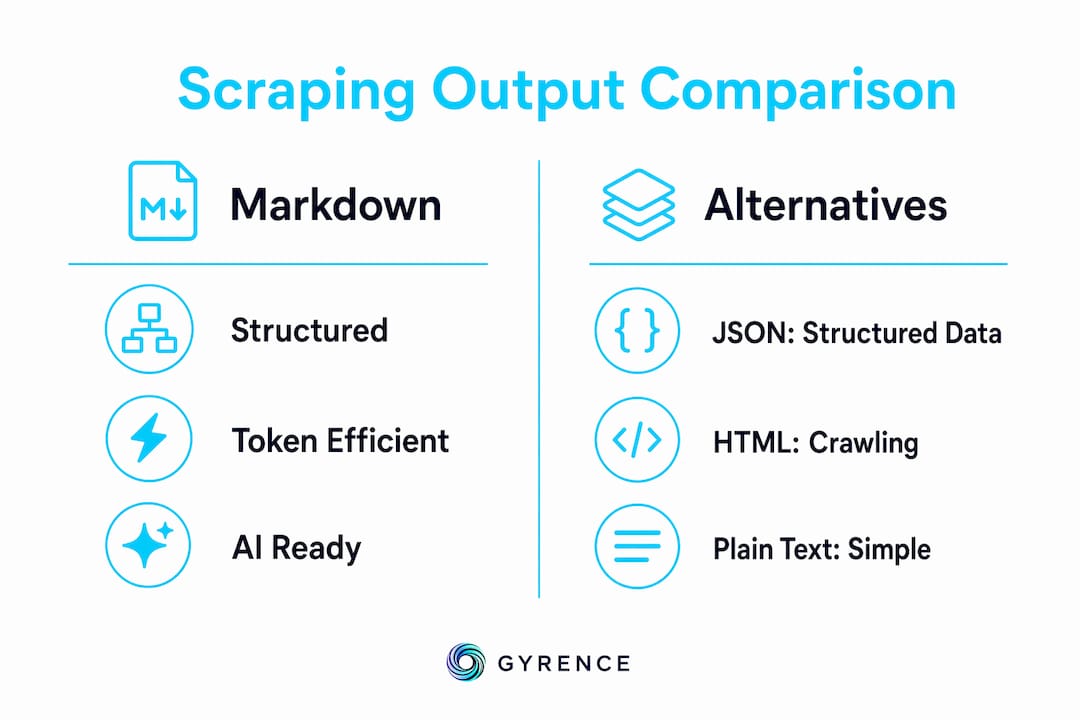
Markdown is favored for LLM context delivery, JSON is preferred for structured extraction, and raw HTML is best for crawling structure-rich sites. Each format serves a different stage of the data pipeline.
| Format | Structure preserved | Token efficiency | AI suitability | Best use case |
|---|---|---|---|---|
| Markdown | High (headings, lists, code) | High (60–80% smaller than HTML) | Excellent | RAG ingestion, LLM context |
| Plain text | None | Highest | Poor | Keyword search, legacy NLP |
| Raw HTML | Full (with noise) | Low | Poor | Link crawling, sitemap extraction |
| JSON | Schema-defined | Medium | Good for structured tasks | Structured extraction, APIs |
The choice is not always Markdown. When you need to extract a product price, a publication date, or a table of specifications, structured JSON extraction with a defined schema is more reliable than parsing Markdown prose. Markdown shines when the goal is to preserve the full semantic content of a page for retrieval or generation. JSON shines when the goal is to pull specific fields. Developers building web data pipelines for RAG often use both: Markdown for document ingestion, JSON for metadata extraction.
Key Takeaways
Markdown output web scraping produces cleaner, smaller, and more AI-ready content than raw HTML or plain text, making it the correct default format for RAG pipelines and LLM workflows.
| Point | Details |
|---|---|
| Markdown beats raw HTML for RAG | Header-aware Markdown delivers 34% better retrieval accuracy than raw HTML in RAG pipelines. |
| Token savings are significant | Clean Markdown is typically 60–80% smaller than raw HTML, cutting LLM API costs directly. |
| Pipeline stages matter | Skipping content extraction, sanitization, or linting introduces silent failures in downstream AI tasks. |
| Format choice depends on goal | Use Markdown for document ingestion and LLM context; use JSON for structured field extraction. |
| Linting is not optional | Tools like markdownlint catch broken lists and inconsistent headings before they corrupt embedding indexes. |
Why I think most teams underinvest in the conversion step
Most developers treat HTML-to-Markdown conversion as a solved problem. They install Turndown, call it on the raw response, and ship it. The output looks fine in a text editor. The problems surface three weeks later when retrieval quality is lower than expected and nobody can explain why.
The conversion step is where the most consequential decisions happen. Which elements do you keep? How do you handle a <table> with merged cells? What do you do when Readability.js strips a code example because it looked like a sidebar? These are not edge cases. They are the normal state of the web.
I've seen teams spend weeks tuning embedding models and chunking strategies while the real bottleneck was a converter that silently dropped <h3> tags and collapsed all lists to a single level. The impact of unstructured HTML on agent performance is well documented, yet the fix almost always starts at the conversion layer, not the model layer.
The other thing most tutorials skip: JavaScript rendering is not a niche problem. A growing share of the web renders content client-side. If your scraper fetches the initial HTML response without executing JavaScript, it misses the actual content on a significant portion of pages. Headless browser infrastructure is not optional for production pipelines. It is the baseline.
Adapt continuously. Web standards change, frameworks evolve, and the sites you scrape today will look different in six months. Build your pipeline to be auditable at every stage so you can isolate failures fast.
— Glen
Gyrence handles the hard parts of web-to-Markdown conversion
Building a production-grade HTML-to-Markdown pipeline means solving JavaScript rendering, content extraction, sanitization, and linting before a single document reaches your model. Gyrence handles all of that through a single API call.

Gyrence's Fetch primitive retrieves any page, executes JavaScript, waits for the correct lifecycle state, and returns clean, LLM-friendly Markdown with structured failure modes so your agent knows exactly what went wrong when a page doesn't cooperate. The Extract primitive adds schema-based JSON extraction on top when you need structured fields alongside prose. Every response is a typed, discriminated-union result. No silent failures, no surprise bills. Explore the full platform at gyrence.com.
FAQ
What is markdown output web scraping?
Markdown output web scraping is the process of fetching a web page's HTML and converting it to clean, structured Markdown that preserves headings, lists, and code blocks while removing noise like ads and navigation.
Why is Markdown better than plain text for AI pipelines?
Markdown preserves semantic structure through header hierarchy and list formatting, which enables accurate chunking for RAG retrieval. Plain text strips all structure, forcing models to infer topic boundaries from raw prose.
How do I handle JavaScript-rendered pages when scraping to Markdown?
Use a headless browser and wait for a specific lifecycle event like networkidle before extracting the DOM. Fixed timeouts miss late-loading content and produce incomplete Markdown.
What tools convert HTML to Markdown reliably?
Turndown handles standard HTML-to-Markdown conversion well, and Readability.js extracts main article content before conversion. Post-process with markdownlint to catch broken lists and inconsistent heading levels.
When should I use JSON instead of Markdown for web scraping output?
Use JSON when you need to extract specific structured fields like prices, dates, or product attributes. Use Markdown when the goal is to preserve full page content for LLM context or RAG document ingestion.