
Site inventory via URL mapping is the systematic process of cataloging every URL on a website and pairing each one with a destination URL before a migration, redesign, or compliance audit. Without this process, search engines drop rankings, users hit dead ends, and analytics data breaks. The industry standard term is redirect mapping, though "URL inventory process" and "site mapping" describe the same workflow. This guide covers the full process: building your inventory, applying a tiered mapping strategy, avoiding the most expensive mistakes, and choosing the right tools for the job.
What is site inventory via URL mapping, and why does it matter?
A URL inventory is a structured record of every page a site currently serves. Recommended sources include XML sitemaps, Google Search Console, GA4 landing page reports, server logs, and backlink analysis tools. Each source catches URLs the others miss. Server logs surface pages that crawlers skip. GA4 reports surface pages that drive real traffic but never appear in a sitemap.
The inventory is not just a list of URLs. It is a structured dataset. Standard columns include Old URL, New URL, Page Type, Traffic Data (last 12 months), Backlinks, Current Ranking, and Redirect Priority Level. That metadata is what separates a useful inventory from a raw URL dump. Without it, you cannot prioritize which pages need manual attention and which can be handled by pattern rules.

How to create a full URL inventory for site mapping
Building a complete inventory requires pulling from multiple sources at once. No single tool gives you the full picture.
- Crawl the live site with a tool like Screaming Frog or Sitebulb to capture all indexable URLs, status codes, and metadata.
- Export CMS data to catch pages that block crawlers via
noindexorrobots.txtbut still hold content value. - Pull GA4 landing page reports for the last 12 months to identify URLs that drive measurable traffic.
- Check Google Search Console for indexed URLs, crawl errors, and pages with ranking history.
- Run a backlink analysis to flag URLs with external link equity that must be preserved.
After gathering URLs, normalize the list. Remove duplicates caused by trailing slashes, uppercase variants, and UTM parameters. A URL like /blog/post/ and /blog/post are the same page but will appear as two rows if you skip normalization. That duplication inflates your inventory count and creates conflicting redirect rules.
Cross-reference your crawl output against your XML sitemap and Search Console data. Pages that appear in Search Console but not in your crawl are often dynamically generated or behind authentication. Flag them for manual review.
Pro Tip: Schedule a quarterly inventory refresh, not just a pre-migration one. Sites accumulate orphaned pages, broken internal links, and stale redirects continuously. A living inventory file prevents technical debt from compounding.
What is the tiered URL mapping strategy and why it matters?
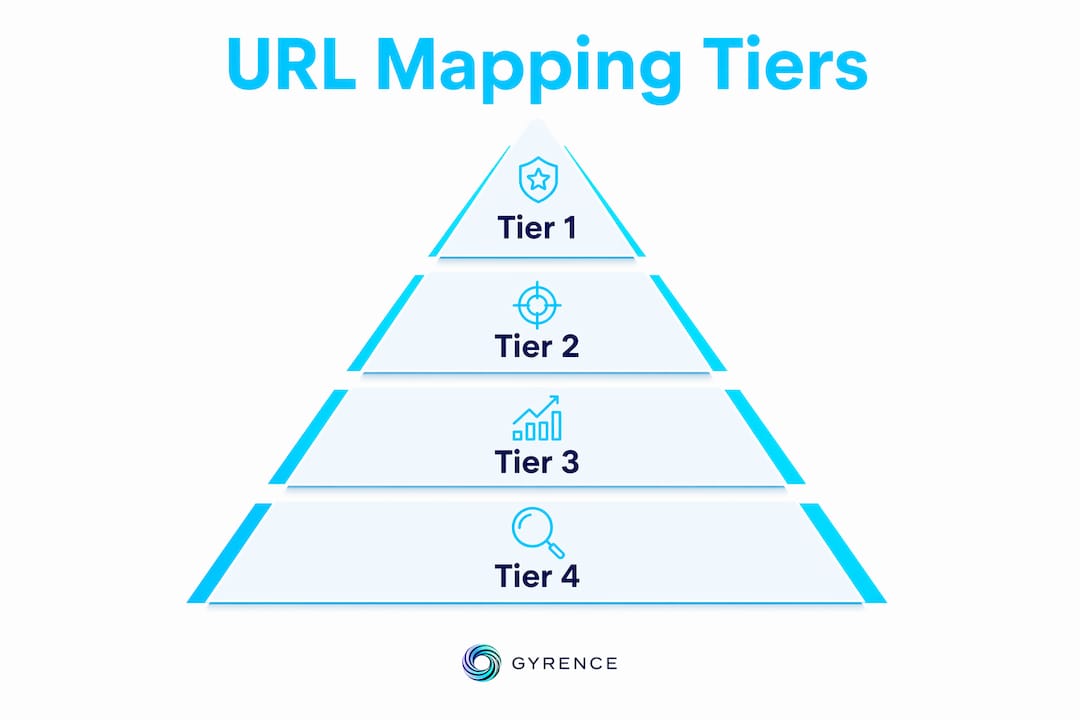
Tiered mapping classifies URLs into four priority groups based on traffic volume, backlink count, and indexing status. The classification determines how much human attention each URL receives. Tier 1 URLs, the top 1–3% of a site, require manual one-to-one mapping. These are your highest-traffic pages, your most-linked assets, and your top-ranking content. Every redirect decision here gets reviewed by a person.
| Tier | Criteria | Mapping method | Approx. share of URLs |
|---|---|---|---|
| 1 | High traffic, high backlinks, top rankings | Manual 1:1 mapping | 1–3% |
| 2 | Moderate traffic or backlinks | Semi-automated with manual review | 10–20% |
| 3 | Low traffic, few backlinks | Pattern-based automated redirects | 40–50% |
| 4 | No traffic, no backlinks, orphaned | Homepage or parent category fallback | 30–40% |
Tiers 3 and 4 are where pattern-based rules pay off. Pattern-based fallbacks cover 70–80% of URLs efficiently, reducing the manual workload to a manageable set of high-value pages. The logic is simple: if /old-category/old-product/ maps to /new-category/new-product/, a single regex rule handles thousands of similar URLs at once.
Pro Tip: Build your Tier 1 list before you start any mapping work. Sort by a combined score of traffic plus backlinks, then manually verify the top 200–500 URLs. Getting these right protects the majority of your SEO equity.
Common pitfalls in URL mapping and how to avoid them
The most expensive mistake in redirect mapping is the "1:1 fallacy." Attempting manual 1:1 redirects for all URLs causes bottlenecks that delay migrations and introduce errors. Teams that try to manually map 50,000 URLs one by one run out of time and start making careless decisions near the deadline.
The second most common mistake is redirecting legacy URLs to the homepage. The most common migration failure is redirecting legacy content to generic homepages instead of relevant pages. This harms both user experience and SEO because the redirect signals to Google that the old page's content no longer exists anywhere on the site.
Other pitfalls to watch for:
- Redirect chains: A URL that redirects to another redirect wastes crawl budget and dilutes link equity. Keep every redirect a single hop.
- Mismatched user intent: An old SEO service page redirected to a contact form loses its ranking signal. Map URLs to the closest equivalent content to preserve both rankings and user satisfaction.
- Missing QA status tracking: Every redirect row in your mapping file needs a QA Status column. Without it, you cannot tell which redirects have been tested and which are still assumptions.
Pro Tip: Set up a 404 monitoring alert on day one post-launch. Tools like Google Search Console and server log parsers will surface broken paths within hours. Google recommends keeping redirects live for at least one year and validating crawl paths and indexing status regularly.
Tools and best practices for managing URL inventories
The right toolset depends on site size and team structure. For most migrations, a combination of a crawler, an analytics platform, and a spreadsheet or database covers the full workflow.
Crawling and auditing:
- Screaming Frog SEO Spider for full-site crawls, status codes, and metadata exports
- Sitebulb for visual crawl maps and prioritized issue reporting
- Google Search Console for indexed URL data and crawl error reports
Analytics and backlink data:
- GA4 for traffic-weighted URL prioritization
- Ahrefs or Semrush for backlink counts per URL
For sites under 10,000 URLs, a well-structured spreadsheet works. Use columns for Old URL, New URL, Redirect Type (301 vs. 302), Traffic, Backlinks, Priority, and QA Status. Redirect maps should include these columns to prevent rushed decisions and ensure consistent handling of legacy URLs.
For sites over 50,000 URLs, a database with a lookup table is more reliable. Pattern rules live at the edge layer (CDN or server config), lookup tables handle known one-to-one redirects, and a fallback layer catches anything unmatched. This three-layer architecture, described in detail in a domain URL map guide, keeps redirect logic maintainable as the site evolves.
Effective URL mapping workflows involve cross-team collaboration between developers, analysts, and SEO strategists. Developers own the implementation layer. Analysts own the data and prioritization. SEO strategists own the content equivalence decisions. All three roles are required for a migration that preserves both technical integrity and content value.
Store your mapping file in version control. Every change to a redirect rule should be committed with a timestamp and a reason. This creates an audit trail that matters for compliance reviews and post-launch debugging.
Key takeaways
Site inventory via URL mapping succeeds when you combine structured data collection, tiered prioritization, and cross-team execution rather than attempting to manually redirect every URL.
| Point | Details |
|---|---|
| Build from multiple sources | Combine crawl data, GA4, Search Console, and backlink tools to capture every critical URL. |
| Normalize before mapping | Remove duplicates from trailing slashes, case variants, and parameters before assigning redirects. |
| Apply tiered mapping | Reserve manual 1:1 mapping for the top 1–3% of URLs; use pattern rules for the rest. |
| Avoid homepage fallbacks | Redirect every URL to its closest content equivalent, not to the homepage. |
| Monitor post-launch | Track 404s and redirect chains from day one and keep redirects live for at least one year. |
URL mapping is a team sport, not a technical checklist
The projects I have seen fail at URL mapping almost always fail for the same reason: one team owns the whole process. Developers treat the redirect map as a config file. Analysts treat it as a spreadsheet export. Neither group talks to the other until something breaks in production.
The tiered approach fixes this by forcing a conversation. When you sit down to classify Tier 1 URLs, you need traffic data from the analyst, backlink counts from the SEO strategist, and implementation constraints from the developer. That conversation surfaces conflicts early, before they become post-launch 404s.
The other thing I have learned is that the mapping file is a living document, not a deliverable. Teams that archive it after launch lose the ability to debug redirect chains six months later. Teams that keep it in version control with a web data schema can trace every redirect decision back to its original rationale. That audit trail is what compliance reviews actually need.
Automated pattern rules are not a shortcut. They are the correct tool for Tier 3 and Tier 4 URLs. The mistake is applying them to Tier 1. Spend your manual effort where it protects the most equity, and let the rules handle the long tail.
— Glen
How Gyrence supports URL mapping and web data workflows
Developers and analysts running large-scale site inventories need structured, reliable web data, not raw HTML dumps that require manual parsing.

Gyrence is a web data API built for exactly this kind of work. Its Map primitive traverses a domain's URL graph from a starting URL and returns a typed, structured response, including failure cases, so your pipeline knows what it got and what it missed. The Traverse primitive walks a site outward from a seed URL, and the Extract primitive pulls structured JSON from any page using a prompt or schema. Spending caps and structured failure modes mean your web data infrastructure stays predictable at scale. No surprise bills. No silent failures. Visit the Gyrence docs to see how the Map and Traverse primitives fit into a migration workflow.
FAQ
What is the difference between a URL inventory and a redirect map?
A URL inventory is a complete list of all existing URLs with metadata like traffic and backlinks. A redirect map is the output of the mapping process, pairing each old URL with its destination and redirect type.
How do I handle URLs with no traffic and no backlinks?
Tier 4 URLs with no traffic and no backlinks can redirect to a relevant parent category or the homepage as a fallback. They do not require individual mapping decisions.
How long should 301 redirects stay live after a migration?
Google recommends keeping 301 redirects live for at least one year after a migration to allow full crawl and index transfer to the new URLs.
What causes redirect chains and how do I fix them?
Redirect chains occur when a URL redirects to another URL that also redirects, creating a multi-hop path. Fix them by updating each redirect to point directly to the final destination URL.
Can pattern-based rules replace manual mapping entirely?
Pattern-based rules handle Tier 3 and Tier 4 URLs efficiently, covering roughly 70–80% of a large site. Tier 1 and Tier 2 URLs still require manual review to preserve SEO equity and user intent.