
Web scraping costs vary widely per 1,000 delivered pages depending on conditions and success rates, and the gap between those numbers comes down to two variables: how hard the target fights back and how often your requests actually succeed. Most teams budget by guessing at page counts. The reliable method is smaller and faster: run a short pilot against representative targets, measure your success rate, retries, and bandwidth, then extrapolate from real numbers instead of hope.
TL;DR:
- Maximum costs for web scraping can exceed $10,000 monthly when accounting for maintenance and engineering time, especially with frequent site changes.
- Running a short, realistic pilot helps accurately determine the true cost per accepted record based on actual success rates and resource consumption.
- Using conditional requests and caching can significantly reduce bandwidth and compute costs, improving overall budget efficiency.
- Self-hosted scraping becomes less viable beyond 10 to 12 volatile sources or daily refreshes due to escalating maintenance and incident response costs.
- Developer hours spent fixing broken selectors and handling site redesigns constitute the largest hidden expenses, often surpassing proxy, compute, or infrastructure costs.
Table of Contents
- What Drives Web Scraping Cost Control?
- The Eight-Component Cost Model Data Teams Miss
- How to Run a Pilot That Predicts Real Costs
- Cost-Control Tactics That Actually Move the Needle
- When Does Building Your Own Scraper Stop Making Sense?
- Why the Real Cost Conversation Is About Time, Not Dollars
- How Gyrence Cuts Scraping Cost Without Cutting Corners
- Where to Verify These Numbers Yourself
- Sources
- FAQ
What Drives Web Scraping Cost Control?
Before you can control cost, you need to know where it actually lives. Most teams default to one of three approach families, and each one concentrates spend in a different place.
DIY/self-hosted scraping means you own the whole stack: request handling, proxy rotation, headless browser orchestration, parsing, storage, and every fix when a target site redesigns its HTML. The dollar cost of infrastructure looks cheap on a spreadsheet. The real cost is engineering time, and it rarely shows up until month three when a site update breaks half your selectors overnight.
Scraping APIs (proxy-and-render-as-a-service tools) hand you a request endpoint that deals with IP rotation, headless rendering, and CAPTCHA solving, but you still write and maintain your own parsing logic. This trades infrastructure cost for a metered fee, usually billed per successful request or per gigabyte of bandwidth. It suits teams who need reliable delivery but are comfortable owning extraction logic.
Managed web-data APIs go a step further, bundling fetch, render, extract, and structure into one call, often with LLM-assisted parsing included. You pay more per unit but eliminate the parsing maintenance loop entirely, which matters once you're tracking more than a handful of source layouts.
The choice usually comes down to a few practical questions:
- How many distinct sources do you need, and how often do their layouts change?
- What's your required refresh cadence: hourly, daily, or weekly?
- Do you need clean, LLM-ready structured output, or is raw HTML acceptable?
- Does your team have spare engineering capacity for ongoing maintenance, or is that capacity your scarcest resource?
Answer those honestly and the right approach usually declares itself before you compare a single price sheet.
The Eight-Component Cost Model Data Teams Miss
Most budget overruns trace back to counting only the obvious lines: proxies and compute. A defensible model, the kind Web Scraper Cloud's cost breakdown recommends, tracks eight components and prices each one separately before you commit to a number.
- Development. Initial build time for selectors, request logic, and output schemas. One-time, but it recurs every time you add a source.
- Maintenance. Ongoing fixes when target sites change layout, add anti-bot defenses, or shift pagination. This is the line most teams underestimate, and it tends to grow, not shrink.
- Proxies and bandwidth. Datacenter proxies run cheapest; residential and mobile/ISP proxies cost dramatically more per gigabyte. Apify's budget benchmarks put residential proxy pricing in a wide $1 to $8+ per GB range depending on provider and plan, and that spread alone can swing a monthly bill by thousands of dollars.
- Compute. Headless browser rendering for JavaScript-heavy pages costs several times more in CPU and memory than a plain HTTP fetch. Rendering plus residential proxies is the single most common multiplier that turns a "cheap" scrape into an expensive one.
- Storage. Raw HTML, rendered screenshots, and structured output all accumulate. Cheap per gigabyte individually, but it adds up across millions of pages retained for audit or reprocessing.
- QA and monitoring. Someone has to notice when a scraper silently starts returning empty fields instead of failing loudly. Unmonitored pipelines quietly degrade for weeks before anyone checks a downstream report.
- Compliance. Legal review, robots.txt adherence, rate-limiting discipline, and terms-of-service checks. Often skipped in early budgets, expensive when skipped for too long.
- Incident response. The scramble when a target blocks your IP range, changes its auth flow, or a whole domain migrates. Rare, but the hourly cost during an incident is real and rarely modeled.
Statistic Callout: Web scraping expenses commonly range from $50 to over $10,000 per month depending on approach and scale, with developer time and maintenance accounting for most of the gap between the low and high end.
Three hidden taxes sit inside that eight-component breakdown and deserve their own line items. The retry tax: every failed request that gets retried consumes proxy bandwidth and compute twice, and a low success rate quietly doubles or triples your effective per-page cost. The maintenance tax: fixing broken selectors after a site redesign is unplanned engineering time that competes with your roadmap. And the opportunity cost: hours spent debugging a scraper are hours not spent on the product feature that actually generates revenue. None of these show up on an invoice, which is exactly why they blow budgets.
How to Run a Pilot That Predicts Real Costs
Skip the spreadsheet guesswork. A representative pilot, run for a week or two against your actual target set, gives you numbers finance can trust and engineering can defend.
Design the pilot around real conditions, not best case:
- Pick 3 to 5 representative targets, including at least one that uses JavaScript rendering or bot detection, not just the easy ones.
- Run at the volume and cadence you'd expect in production, not a token sample size.
- Capture every attempt, not just successful pulls, so failure patterns show up in the data.
While the pilot runs, log five metrics: total attempts, successful deliveries, bandwidth consumed per page (in KB or MB), retry count and reason, and developer hours spent troubleshooting or adjusting selectors. That last one matters as much as the infrastructure numbers. Teams that skip logging dev hours during a pilot consistently underestimate their real monthly cost by a wide margin.
From there, the math is straightforward: divide total pilot cost (proxies, compute, storage, and a fair hourly rate for the dev time logged) by the number of accepted records, not attempted requests. A page that returns malformed or incomplete data isn't a delivered record, even if it consumed a full request's worth of bandwidth. This is the metric that should show up in any budget presentation, and it aligns with the unit-economics thinking the FinOps Foundation recommends for allocating infrastructure spend to specific product lines.
Run the sensitivity test before you finalize a number. A five-point swing in success rate can shift your cost-per-delivered-record by 20% or more, especially once residential proxies and JS rendering are in the mix.
Pro Tip: Run your pilot during the target site's peak traffic hours, not off-hours. Anti-bot systems often tighten rate limits and CAPTCHA triggers exactly when real users are active, and that's the success rate you'll actually get in production.
Cost-Control Tactics That Actually Move the Needle
Once you have pilot numbers, these tactics cut spend without cutting data quality. Prioritize them roughly in this order.
Delta-scraping first. Instead of re-fetching every page on every run, check what actually changed. Conditional HTTP headers like If-Modified-Since and ETag let the server tell you nothing's changed before you spend bandwidth confirming it yourself. Combined with content hashing on your side, this is consistently the highest-ROI optimization for catalog-style pipelines, according to Apify's pricing analysis, because most catalog pages don't change between runs.
Route proxies adaptively. Start every request through cheap datacenter proxies. Only escalate to residential or mobile proxies when a target specifically blocks datacenter IP ranges. Treating residential as your default tier is the fastest way to burn through a monthly proxy budget for no reason.
Disable JavaScript rendering by default. Test each target with a plain curl request first. If the data you need is in the raw HTML response, you don't need a headless browser at all, and you just avoided a compute cost multiplier that's often several times higher than a plain HTTP fetch. Only route to a rendering engine for pages that genuinely require it.
Cache and batch aggressively. Cache parsed results for content that updates on a known schedule. Batch requests where a target's API or sitemap structure allows it, rather than crawling page by page.
Build quality gates before you scale volume. A cheap scraper delivering garbage data is more expensive than an idle one, because someone downstream has to catch the problem, and by then you've already paid for the compute, bandwidth, and storage on data nobody can use. Set alerts for sudden drops in field completeness or response size, not just outright failures.
- Add exponential backoff with jitter on retries rather than immediate re-attempts; AWS's guidance on timeouts and retries shows how unmanaged retry storms compound cost and load simultaneously.
- Standardize output against schema.org vocabulary where applicable; structured schemas reduce downstream parsing effort and, for LLM-based extraction, cut token consumption because the model has less ambiguity to resolve.
- Route storage of raw HTML to cheap object storage rather than a database, and only promote parsed, accepted records to your primary data layer. A replayable batch architecture built around S3-style storage handles this cleanly at scale.
Pro Tip: If you're extracting into structured JSON, a schema-guided extraction approach almost always beats prompt-only extraction on cost. Fixed schemas produce shorter, more predictable LLM outputs, which means fewer tokens billed per record. A structured extraction guide walks through the tradeoffs in more depth.
When Does Building Your Own Scraper Stop Making Sense?
Five axes decide this, and none of them is "how much does the tool cost per month" in isolation.
- Source count. A handful of stable sources is a manageable DIY project. Beyond roughly 10 to 12 active, volatile sources, maintenance overhead tends to compound faster than a self-hosted team can absorb it, especially once schema drift on multiple sites happens in the same week.
- Volatility. Sites that redesign frequently or tighten bot defenses regularly punish self-hosted setups hardest, because every change is your engineering team's emergency.
- Refresh frequency. Daily or hourly refresh cadence multiplies your exposure to the retry tax and the maintenance tax simultaneously. Weekly or monthly refresh gives your team breathing room to fix things on a normal schedule.
- Engineering capacity. If your team's roadmap already has no slack, every hour spent firefighting a broken selector is an hour stolen from something with a clearer return.
- Data criticality. A pipeline feeding a customer-facing product or a live pricing engine can't tolerate the silent degradation that under-monitored scrapers are prone to.
The rule of thumb that holds up across most teams: once you're running more than a dozen actively changing sources on a daily refresh, a managed approach usually reduces total cost even though the per-call price looks higher on paper. That's because you're not just buying requests, you're buying out the maintenance and incident-response lines that would otherwise sit on your team's calendar. When you present this to finance or a CTO, show the sensitivity range, not a single number. Best case, worst case, and the pilot-measured middle tell a far more credible story than one confident estimate that turns out wrong in month two.
Why the Real Cost Conversation Is About Time, Not Dollars
Most cost conversations focus on proxy bills because that's the line item that's easy to point at. The bigger number, and the one that ambushes teams six months in, is the engineering hours spent nursing a scraper through every site redesign. That's not a hypothetical. It's the default trajectory for any self-hosted pipeline running more than a few active sources.
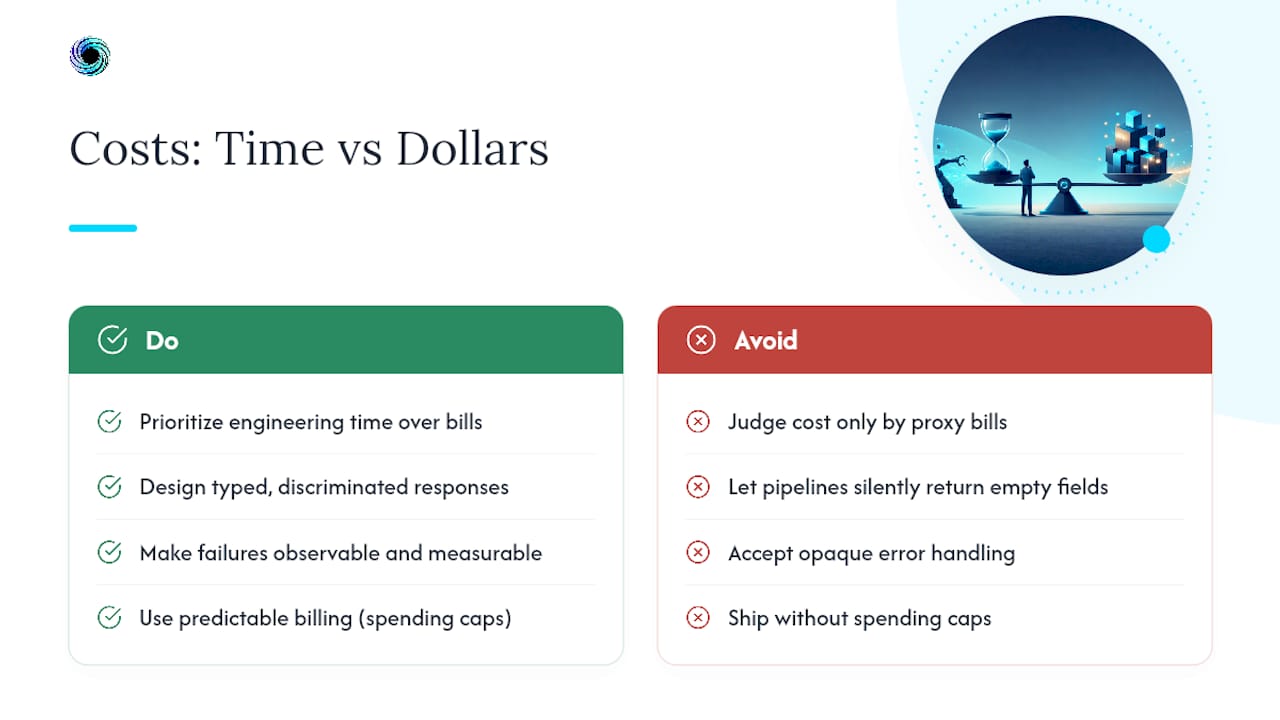
What gets underweighted even more is honesty about failure. A pipeline that silently returns empty fields instead of throwing a clear error doesn't just cost you the wasted request, it costs you the debugging time to even notice something's wrong. Typed, discriminated responses that distinguish a real result from a blocked request from a malformed page aren't a nice architectural detail. They're what makes a cost model trustworthy in the first place, because you can only measure what you can actually observe failing.
Predictable billing matters for the same reason. A spending cap isn't a defensive feature, it's what lets a data engineer say yes to a new source without needing a finance sign-off first.
— Glen
How Gyrence Cuts Scraping Cost Without Cutting Corners
If the maintenance tax and the retry tax are the two lines quietly eating your budget, Gyrence is built to shrink both. Its five composable primitives, Search, Traverse, Fetch, Extract, and Map, replace the custom parsing and selector maintenance that breaks every time a target redesigns its markup. Schema-guided extraction is bundled into the API call, so there's no separate LLM token bill stacked on top of your scraping fee, and every response comes back as a typed result that tells you plainly whether a page succeeded, failed, or returned partial data instead of failing silently downstream.

Spending caps mean a pilot doesn't turn into a surprise invoice. You can run the exact representative pilot described above, five targets, real volume, real cadence, with a hard ceiling on spend while you measure your actual cost per accepted record. If your workflow already lives in an agent framework, the hosted MCP endpoint connects directly without extra glue code. Start with a pilot on Gyrence and compare your measured cost-per-delivered-page against whatever your current self-hosted or scraping-API setup is actually costing you, maintenance hours included.
Where to Verify These Numbers Yourself
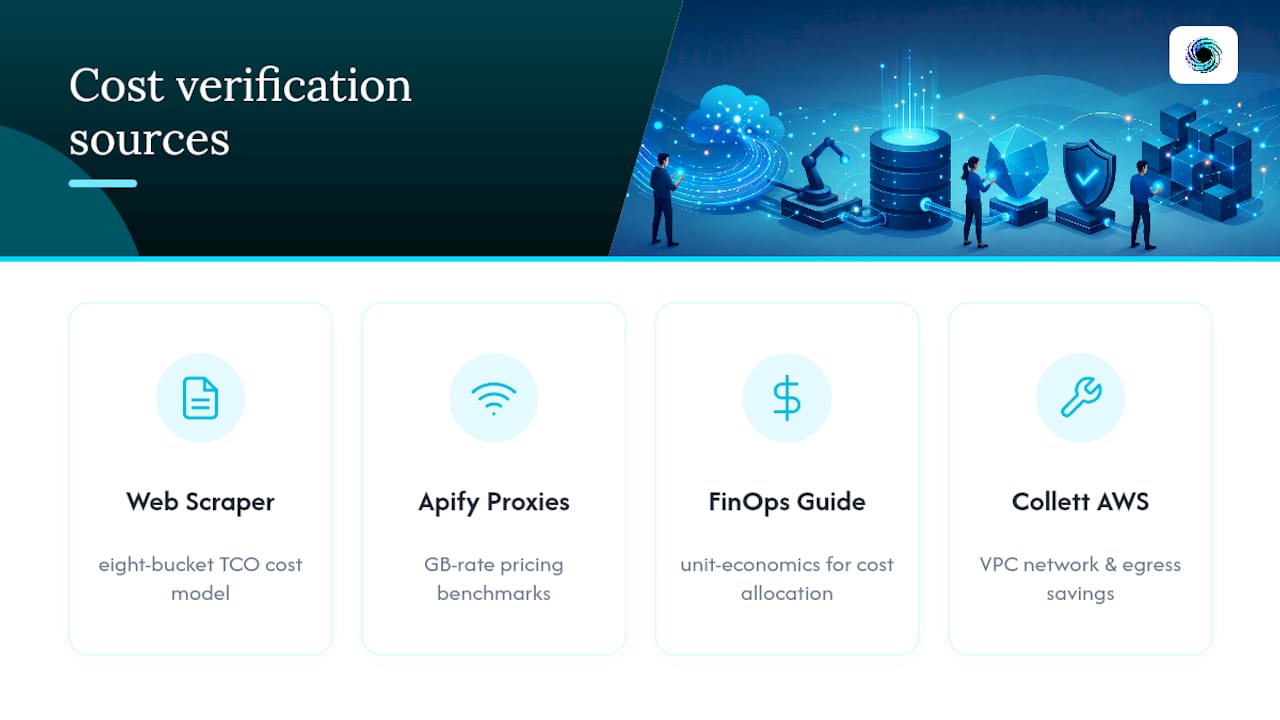
Run your own math against these before you finalize a budget: Web Scraper Cloud's cost model for the eight-bucket TCO framework, Apify's proxy pricing benchmarks for GB-rate ranges, and the FinOps Foundation's unit-economics guidance for allocating cost across teams. For infrastructure-level savings on the compute side, Collett Systems' guide to running AWS VPCs efficiently covers network and egress cost reduction relevant to any self-hosted pipeline.
Sources
- Web Scraping Budget Calculator: How Much Does Scraping Really Cost? | Use Apify
- FinOps Foundation: unit economics
FAQ
Is web scraping legal in the United States?
Scraping publicly accessible data is generally permitted in the United States, but legality depends on what you collect, a site's terms of service, and whether you're accessing data behind a login. When in doubt about a specific target or use case, consult legal counsel rather than relying on a general rule.
Can ChatGPT scrape a website directly?
ChatGPT itself doesn't scrape websites the way a dedicated scraping API does. It can fetch and summarize a page's content in limited cases, but it lacks the retry logic, proxy handling, and structured extraction reliability that production pipelines need, which is why teams use dedicated web-data APIs like Gyrence instead.
How much does web scraping cost per month?
Monthly costs commonly range from $50 to over $10,000, depending on approach, source count, and refresh cadence, with developer time and maintenance usually accounting for the largest share of that range.
How do I estimate the cost of scraping prices from a target site?
Run a short pilot against the actual pricing pages you need, log attempts, successes, bandwidth, and retries, then divide total pilot cost by accepted records to get a real per-delivered-page figure rather than a guess based on request count alone.
What's the biggest hidden cost in a scraping budget?
Maintenance engineering time, not proxies or compute, is the cost teams underestimate most consistently, since every site redesign or anti-bot change triggers unplanned developer hours that rarely get budgeted upfront.