
Agentic web browsing is defined as the process where AI agents autonomously navigate websites, interact with page elements, and complete multi-step tasks based on user goals, without requiring manual input at each step. Unlike traditional browsing, where you click every link yourself, or fixed-script tools like Selenium and Puppeteer that break when a UI changes, agentic browsers adapt in real time. Browsers like Perplexity's Comet and Fellou represent the first wave of commercial implementations. The shift is fundamental: the browser stops being a passive content renderer and becomes an execution engine.
What is agentic web browsing, and how does it work internally?
An agentic browser follows a four-step workflow: interpret the user's instruction, analyze the page structure, plan a sequence of actions, and execute those actions while adapting to what it finds. Each step depends on the previous one, and the agent can loop back if the page state changes mid-task.
The interpretation layer uses a large language model to convert a natural-language goal, such as "book the cheapest flight to Austin next Friday," into a structured task plan. The LLM reads the DOM or, more commonly, an accessibility tree representation of the page. Accessibility trees strip out visual noise and expose only interactive elements, which reduces token usage and makes the agent's decisions more reliable.

Execution is where agentic browsing separates itself from every prior automation approach. Fixed scripts like Selenium fail when a site runs an A/B test or shifts a button's position. An agentic browser re-analyzes the page state after each action and recovers from layout changes, modals, or unexpected redirects. That real-time adaptation is the core technical differentiator.
Pro Tip: Restrict your agent's action vocabulary to clicks, typing, and scrolling. Broader action sets increase the chance of invalid UI calls and slow execution without adding reliability.
| Feature | Agentic browser | AI-assisted browsing | Fixed automation (Selenium) |
|---|---|---|---|
| Autonomous action | Yes | No | Scripted only |
| Adapts to UI changes | Yes | N/A | No |
| Natural language input | Yes | Yes (summaries) | No |
| Requires page structure | Accessibility tree | None | CSS/XPath selectors |
| Typical use case | Multi-step task completion | Content summarization | Repeatable, stable workflows |
What security risks do agentic browsers face?
Indirect prompt injection is the primary security threat in agentic browsing. It occurs when malicious instructions are embedded in third-party web content and processed by the agent's LLM alongside trusted developer instructions. Because both sources share a single context window, the model cannot reliably distinguish between them.
The consequences are concrete. A malicious page can instruct the agent to submit credentials to an attacker-controlled endpoint, approve a purchase the user never intended, or exfiltrate session tokens. These are not theoretical edge cases. They are the direct result of agentic browsing's core design: delegated execution that inherits session artifacts and credentials from the user's browser context.
Mitigation requires architectural changes, not just better prompting. The boundary between trusted code and untrusted web content must be enforced at the system level. Spending caps, step-level user approval, and sandboxed execution environments each reduce the blast radius of a successful injection.
Security best practices for agentic browser deployments:
- Enforce spending and action limits. Cap what the agent can spend or submit per session.
- Require user approval for irreversible actions. Form submissions, purchases, and credential entry should pause for confirmation.
- Sandbox the agent's network access. Prevent the agent from reaching endpoints outside the task scope.
- Log every action with full page context. Auditable logs let you trace how an injection propagated.
- Treat all page content as untrusted. Never allow page text to override system-level instructions.
Pro Tip: Design your agent's system prompt to explicitly reject any instruction that arrives from page content. A clear instruction hierarchy is the cheapest mitigation you can implement today.
How does agentic browsing compare to traditional and AI-assisted browsing?
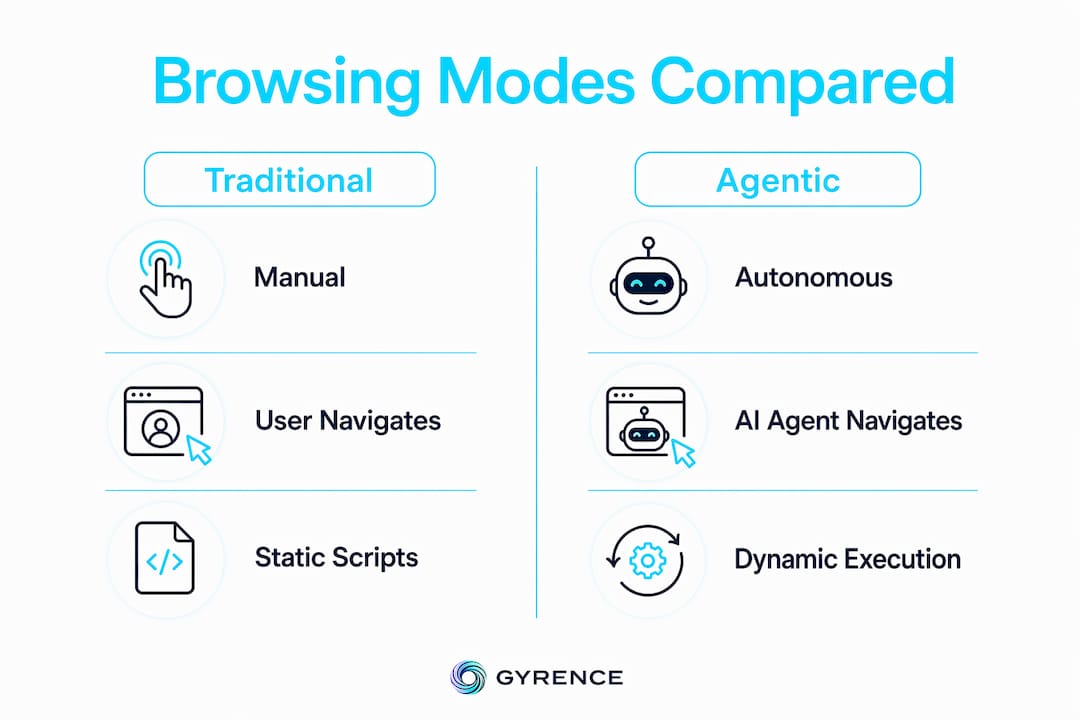
Traditional browsing is fully manual. You navigate, click, read, and decide at every step. The browser renders content; you supply all the intent. This works fine for exploratory tasks but does not scale to repetitive or multi-step workflows.
AI-assisted browsing adds a layer of intelligence without removing the human from the loop. Tools in this category summarize pages, highlight key facts, or suggest next steps. The user still navigates. The AI augments perception but does not act.
Agentic browsing removes the human from the execution loop entirely. The agent reads live page state, decides what to do next, and acts. It does not wait for confirmation unless the task design requires it. That autonomy is what makes agentic browsing useful for structured data collection and complex form workflows.
| Dimension | Traditional | AI-assisted | Agentic |
|---|---|---|---|
| Who navigates? | User | User | Agent |
| AI role | None | Summarize/highlight | Plan and execute |
| Handles UI changes? | User adapts | User adapts | Agent adapts |
| Best for | Exploration | Reading efficiency | Automation at scale |
Agentic browsers work best when the target site uses semantic HTML and accessible design. Poorly structured frontends force the agent to guess at element roles, which increases error rates and token costs.
Practical applications and benefits for developers
Agentic browsers automate repetitive tasks that previously required constant human attention: booking flights, filling multi-page forms, monitoring price changes, and extracting structured data across dozens of pages. The productivity gain is not incremental. Entire workflows that took hours of manual work can run unattended.
For developers, the most direct benefit is structured data collection at scale. An agent can traverse a site, extract product details, and return clean JSON without a custom scraper for each target. Pair that with a web data API that returns typed, discriminated-union responses, and your pipeline handles failure cases explicitly instead of silently dropping data.
Steps to implement and test an agentic browsing workflow:
- Define the task as a natural-language goal. Avoid vague instructions. "Extract the price and availability of every product on page 1" outperforms "get product data."
- Choose a page representation format. Accessibility trees outperform raw HTML for most LLMs. Test both on your target site.
- Restrict the action vocabulary. Clicks, typing, and scrolling cover most tasks. Add scroll-to-element and wait-for-load as needed.
- Add a recovery loop. If the expected element is not found after an action, re-analyze the page before retrying.
- Log every action and page state. This is your debugging surface when the agent takes an unexpected path.
Pro Tip: If you control the target site, add aria-label attributes to all interactive elements. Agents using accessibility trees will find and act on labeled elements far more reliably than unlabeled ones.
Key takeaways
Agentic web browsing is the most significant shift in browser architecture since JavaScript made pages interactive, and its reliability depends entirely on structured page representations and explicit security boundaries.
| Point | Details |
|---|---|
| Core definition | AI agents autonomously navigate and act on websites based on user goals, not fixed scripts. |
| Internal mechanism | Agents read accessibility trees, plan multi-step actions, and adapt to live page state changes. |
| Primary security risk | Indirect prompt injection lets malicious page content override trusted agent instructions. |
| Key mitigation | Enforce action limits, require approval for irreversible steps, and treat all page content as untrusted. |
| Developer advantage | Structured data extraction and complex workflow automation run unattended with minimal intervention. |
The part most articles skip over
The security conversation around agentic browsing frustrates me because it keeps landing on "write better prompts." That is the wrong frame entirely. Indirect prompt injection is an architectural problem. You are composing trusted developer instructions with untrusted content from the open web inside a single LLM context window. No prompt is clever enough to fix that reliably. The fix is a hard boundary at the system level, not a softer instruction.
The second thing I keep seeing developers underestimate is the cost of poor page structure on agent reliability. An agent hitting a site with no semantic HTML and no aria-label attributes is essentially reading noise. You get higher token usage, more retries, and worse outcomes. If you are building a product that relies on agentic browsing, the most underrated investment is making your own frontend more accessible. It pays off for human users too.
The third observation: the accessibility tree approach to page representation is not a temporary workaround. It is the right abstraction. It maps cleanly to what agents actually need: a structured list of interactive elements with roles and labels. Raw HTML parsing is a step backward. Any serious implementation should default to accessibility trees and only fall back to DOM subsets when the tree is incomplete.
The technology is real and it works today. The gap between a proof of concept and a production deployment is almost entirely about security boundaries and data quality. Get those two right and the rest follows.
— Glen
How Gyrence fits into agentic browsing workflows
Agentic browsers need reliable, structured data to function well. When an agent fetches a page and gets back noisy HTML, the whole pipeline degrades.

Gyrence is built specifically for this problem. Its five composable primitives, Search, Traverse, Fetch, Extract, and Map, give developers clean, agent-ready data from the open web. Every API call returns a typed response that includes failure cases explicitly, so your agent reasons about results instead of silently failing. If you are building or evaluating agentic browsing pipelines, the web data API checklist is a practical starting point for assessing what your infrastructure actually needs. Spending caps and structured failure modes mean your pipeline budget stays predictable, even at scale.
FAQ
What is an agentic browser?
An agentic browser is an AI-powered browser that autonomously navigates websites, interacts with page elements, and completes multi-step tasks based on a user-defined goal, without requiring manual input at each step.
How does agentic browsing differ from Selenium?
Selenium follows fixed scripts and breaks when a site's UI changes. Agentic browsers re-analyze page state after each action and adapt to layout shifts, modals, and A/B test variants in real time.
What is indirect prompt injection in agentic browsing?
Indirect prompt injection occurs when malicious instructions embedded in a web page are processed by the agent's LLM alongside trusted developer instructions, potentially causing unauthorized actions like credential submission or data exfiltration.
What page format works best for browser agents?
Accessibility trees outperform raw HTML for most browser agents. They reduce token usage, expose only interactive elements, and improve reliability when the agent needs to identify and act on specific UI components.
Can agentic browsers handle multi-step data extraction?
Yes. Agentic browsers can traverse multiple pages, fill forms, and return structured data with minimal human intervention, making them well-suited for large-scale data collection workflows.